Skip to content

Card payments are paused. You can pay by Interac e-Transfer or bank transfer; orders go to print once your payment arrives, usually within a business day.

Make my page

Your free link in bio

Get found and grow your audience.

One free page for everything you do. We keep it tuned for search engines and AI assistants, so the people looking for you can find you.

  • Music, video and podcast players
  • Email sign-ups that go to your list
  • A Live now card when you stream
  • Made in Canada

You’ll get yourname.portage.camp. No card.

Every theme and every feature is free. There’s no trial.

Bring my page overStart from an example

What’s your page for?

Your link in bio

Bring your links with you. Nothing goes public until you publish.

No page yet? Type your name instead

Your page, as you type

Your page preview updates as you type and choose a style.

yourname.portage.camp

Your name here

Photos, plans and everything I’m up to.

  • Watch my new videoPosted todayNew
  • Things I love right nowTwelve picks, with links
  • Buy me a coffeeIt goes straight to meTip
  • Get my monthly letter

Example links · yours to change

Pick a page made for what you do

Musicians, streamers, shops, teams, artists and more: each kind of page starts with its own landscape, the features it needs and the links people tap. Make it yours with your own photos or video.

Every feature, free: all 51

How it looks

  • 59 themes, most of them animated

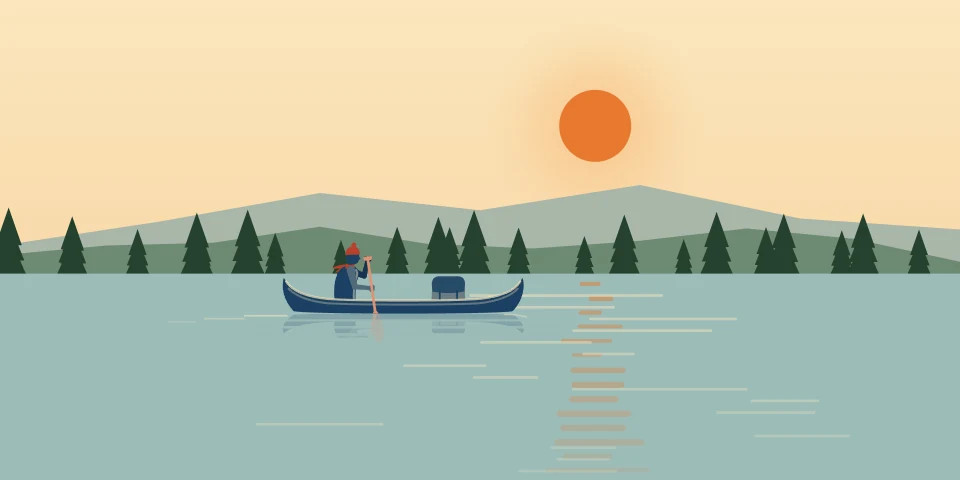
    Golden hour on the water, northern lights, a city in the rain, a rocket launch, the Earth over the Moon, a hockey rink, a ballpark at night, a dinosaur dig and black cats in red bandanas. Most of them move, like the water glinting on the lake or the rain coming down on the city. They look sharp on any screen and there’s a pause button. If your device is set to reduce motion, nothing in them travels, and any lights or stars only glow and twinkle, slowly. You can also upload your own picture, GIF or video instead.

  • Choose your own colours

    Set the background, cards, text and accent colours yourself. If two of them get hard to read together, the editor tells you right away.

  • Your own pictures

    Upload a profile picture and a banner, or paste a link to an image that’s already online. Your picture can be a circle, rounded or square, and you can darken the banner if it’s too bright behind it.

  • Press Find a picture on a link and we read that page once for the picture it shows when it’s shared, then offer it to you. Nothing changes until you choose it, and a wide one can become a big picture card. We skip sites that ask programs to stay away.

  • Lay out the links under a heading as tiles two to a line, a row people swipe through, or a list that folds open. Every link stays readable to search engines, folded or not.

Players, posts and things to buy

  • Music and video players

    Paste a YouTube, TikTok, Spotify, Apple Music, SoundCloud, Bandcamp, Mixcloud, Audiomack, Deezer, Vimeo, Twitch or Kick link and it turns into a player people can use without leaving your page. Nothing loads from those sites until someone presses play.

  • Your newest podcast episode

    Paste your show’s RSS feed once and your page shows your newest episode with its title, date, length and a player. When you post the next one, it replaces the last, so you never have to change anything by hand.

  • Your latest posts, from any feed

    Add the feed from your blog, newsletter, YouTube channel or Bluesky and your page lists your newest posts with their titles and dates, each linking to the original. It updates when you post, so your page never falls behind.

  • A live card for anywhere you stream

    Turn on the Go live switch in the editor, pick where you’re streaming and for how long, and a Live now card sits at the top of your page until your time’s up. If you stream on Twitch or Kick, the link to your channel can also show a live badge while you’re live, and we check every minute.

  • Social posts as cards

    Paste a post from TikTok, Instagram, Threads, Facebook, X or Bluesky and it shows as a card with the author and the caption. The post’s own embed only loads if someone presses Load post.

  • A Listen button for your podcast

    One Listen button opens your show in the listener’s own app: Apple Podcasts on an iPhone, Spotify on Android, and every other app a tap away. Paste your Apple Podcasts link and we find your feed for you.

  • A commissions board

    Show whether you’re open, on a waitlist or closed, how many slots are left and where each piece in your queue is up to. It switches to a waitlist when you’re full and closes on the last day you pick.

  • A book card with one Buy button

    Show your book’s cover and formats with one Buy button that opens a shop in the reader’s own country, worked out in their browser. Before release day it says Preorder, and your library link is never the Buy button.

  • A release card for your music

    Your cover, the day it’s out and a countdown to it, with your pre-save links before the day. From release day one Listen button opens each listener’s own app, from your own links, with every other service a tap away.

  • A support card for tips and donations

    Your Ko-fi, Patreon, Buy Me a Coffee, PayPal.me, Throne, Venmo, Cash App, GoFundMe, CanadaHelps, Every.org, Givebutter, Zeffy, Donorbox, Streamlabs, StreamElements, GitHub Sponsors, Open Collective or Liberapay in one card, an Interac e-Transfer email or phone number or a PayID with a Copy button, and a goal bar in your own numbers. The money goes straight to you; Portage never handles it.


Dates and times

  • Give a link a start and end date and it only appears on your page in between, so no one can find it early.

  • A schedule in every time zone

    Type your week once, in your own time zone, and each visitor sees it in theirs, worked out on their own phone or computer. Mark a night off without touching the rest, and viewers can add it to their own calendar, which moves when you move a stream.

  • Dates from your own calendar

    Paste the public link to your Google, Apple or Bandsintown calendar and your upcoming shows, games or classes are listed on your page. Add a date to the calendar and it shows up here too. Anything marked private stays off the page.

  • Opening hours

    Your page shows whether you’re open right now and until when, or when you open next, in your own time zone. You can add closed days and holidays, plus your address with directions in Apple Maps, Google Maps or OpenStreetMap.

  • Games, scores and standings

    Show your next game in each visitor’s own time zone, with a countdown in the last week, then the score once it’s played and your league’s standings with your team highlighted. Fans can add your games to their own calendar, and their calendar updates if a game gets moved. We don’t show any betting content.

  • Right now

    Put one line at the top of your page from your phone, like “Sold out for today” or where the truck is parked, with directions. It comes down by itself when your time is up.

  • Tour alerts by city

    Your sign-up form can ask which show is nearest. Fans pick a town from your upcoming dates or type their own, and you see how many people are near each one.

  • Game day and the final score

    On game day your games lead the page, on your team’s own clock. When the game’s over, post the final score from your phone, and nothing else you were editing goes live.

  • A countdown to your big day

    Count down to a launch, a show, a tournament or a wedding in days, hours and minutes, with the date always beside it, and a line of your own once the moment comes.

Being found, and your numbers

  • A page search engines can read

    Your name, bio and links are all in the page as soon as it loads, so search engines and link previews can read everything a visitor sees.

  • Helps search engines know it’s you

    Your page tells search engines who you are and which of your profiles elsewhere are yours, so a search for your name can bring up this page along with your other accounts.

  • Collect email addresses

    Add an email sign-up to your page. Each new address goes to Mailchimp, Kit, MailerLite, beehiiv, Buttondown, Klaviyo, Brevo, Ghost, EmailOctopus or Flodesk if you connect it, and you can download them all as a CSV from your numbers page whenever you want. We never email your list or use it for anything.

  • Your numbers page shows views, unique visitors and click rate, a daily chart, which links people tapped, where they came from, what device they used and which country they were in. You can look back up to a year and download any of it as a CSV.

  • Know which bio sent them

    Add ?via=tiktok to the link in your TikTok bio and ?via=ig to the one on Instagram, and your stats will show which bio each visit came from. The editor has these links ready for every platform on your page. It can also label the links on your page so your own website’s stats show the visits Portage sends you.

  • Applying for jobs or pitching clients? Make a link to your page for each one and see which were opened, and on which days. You’ll see that a link was opened, never who opened it.

  • Send a sponsor a read-only link to your real numbers instead of a screenshot. You pick the dates and what they see, and the link stops working when you say so.

  • Your page in two languages

    Write your page again in French, or in English if it starts in French, line by line in your own words. Each version has its own address, with a switch between them that search engines understand.

For a business

  • A menu or price list

    Sections of dishes or services with prices in your own words, a line under each, and marks like vegan or gluten-free spelled out in a key. Add where people order or book, and the button goes there.

  • Questions people ask

    Write your answers once, and each question opens to its answer with a tap. Every answer is in the page for search engines and screen readers too.

  • An enquiry form

    A form people fill in once: their name, an email or a phone number, what they need, and up to five questions you pick, like a date or a budget. Each one is emailed to you and kept on your numbers page for 30 days. Nobody has to solve a puzzle to send it.

  • A Book button for appointments and tables

    Paste your link from Calendly, Cal.com, TidyCal, Acuity, Square, Fresha, Booksy, Vagaro, a Google appointment schedule, Jane, Mindbody, SimplyBook.me, Timely, GlossGenius, Microsoft Bookings, Zoho Bookings, OpenTable, Resy or Tock, and your page shows one Book button that says where it goes. Nothing from the service loads until someone taps it.

  • Kind words from clients

    Up to twelve quotes from the people you work with, each with their name and where they said it, and a Leave a review button for your Google review link. No stars or scores, only their words.

  • Message me buttons

    A button that opens a text, WhatsApp, Telegram or Signal message to you, with the first line already written if you like, so a customer’s message arrives saying what it’s about.

Privacy and access

  • Files people can download

    Share menus, media kits, press kits or course outlines as PDFs up to 10 MB. We strip hidden details like the author’s name from each file before anyone downloads it.
  • Lock a link so only your supporters, class or team can open it, or ask visitors to confirm their age first. A locked link’s address stays hidden until someone types the right password.

  • Built for screen readers and low vision

    The editor reminds you to describe your pictures for people using screen readers. You can switch to Atkinson Hyperlegible, a font made for people with low vision. Links that open an app, a PDF, an email or a call say so, and you can set the language on any section written in another one.

  • Visits are counted without cookies, and we never store anyone’s IP address. If a browser sends Do Not Track or Global Privacy Control, we don’t count the visit, so your numbers may run slightly low.

  • Ask AI not to train on it

    From your first publish, your page and every picture you upload ask the crawlers that collect for AI training to stay away, in our robots.txt and in a do-not-mine notice. Search engines aren’t asked to leave. It’s a request, so a crawler that ignores the rules will ignore this too.

Moving, sharing and working together

  • An app card that opens the right store

    Show your app’s icon, price and every store it’s in, marked as available, in beta, on a waitlist or in development. One Get button sends iPhones to the App Store, Android phones to Google Play and computers to your web app. Paste an App Store link and we’ll fill in the card for you, release notes and all.

  • A résumé you can print

    List your jobs, schooling and skills as a timeline that prints as a one-page résumé in any theme. You can add an open-to-work line with an end date, and it comes off your page when that date passes.

  • A contact card for phones

    One tap saves your name, company, phone number, email and website to someone’s contacts. It works in the browsers inside apps like Instagram and TikTok too.

  • Bring your old page with you

    Paste your old link page’s address and we’ll bring over your name, picture and bio, your links in the order you had them with their headings, your profiles and the pictures beside your links for you to check, with your old page’s look offered first when we can read it. We’ll also point out links that would work better as a player, a live badge or an email sign-up. We can’t read Linktree or Beacons pages from their address, so copy or save yours in your browser and bring that in, or bring a file or a list of links. Bento has closed, so if your page was there, paste your links one per line.

  • A QR code and a full export

    Get a print-ready QR code for your address. You can also download your whole page, your stats and your email list any time.

  • Print your page

    Print your page as a poster, a window sign, a table tent, a sheet of business cards or aftercare cards, in your own landscape and colours. Each one has its own code, so your numbers show which piece of paper people scanned.

  • For a release, a premiere or a ticket drop, everyone who opens your page goes straight to one of your links for up to three days, then it stops by itself. Your page is still a tap away for anyone who asks.

  • Help with other people’s pages

    Ask a manager or an editor to help with your page from their own sign-in, and take them off whenever you like. If you look after pages for clients, up to 5 of them are free from one account, with every tool every account has.

Made to help people find you and keep up with you

Your link in bio is often the first place new people meet you. Portage helps them find it, makes it look right wherever it’s shared, and gives them a way to stay in touch.

  • Found when people search for you

    Your name, words and links are real text on the page, and it tells search engines which of your profiles elsewhere are yours.

  • Understood by AI assistants

    Every page carries the same structured facts search engines read, so when someone asks an assistant about you, the answer can come from your own words.

  • Looks right wherever it’s shared

    Paste your link in a message, a story or a group chat and it opens as a card with your picture and your words.

  • Turns visitors into followers

    An email sign-up on your page sends each new address straight to your list, so a visit becomes someone you can reach again.

  • Up to date without you lifting a finger

    Your newest video, episode or post shows by itself, and a Live now card goes up while you stream.

  • Shows you what’s working

    See which links get tapped and which bio sent people your way, counted without cookies or a banner.

We keep every page tuned for search engines and AI assistants as they change. You don’t have to do a thing, and it’s free. How Portage helps you get found

Moving from another page?

Paste its address, or your whole page copied from your browser, and we rebuild it here while you watch, with your links in the order you had them.

Your link in bio

Your page lands at the top of this page. Nothing goes public until you publish.

Step by step for Linktree, Beacons, Stan and 18 more

A made-up maker’s page, and on the right what the rebuild made from it, with nothing touched up. Drag the line to compare.

Pages we run on Portage

Our own studio’s pages, live, made with the same editor you’ll use.

Wyatt McPhersonDave, the studio’s black cat, lying on the couch

Free, and how it stays free

Portage comes from Cadenic Studios, a small studio in Alberta, Canada. There are no ads, we never sell anything about you, and we don’t take a cut of what you sell. Why Portage is free, and who makes it

Wyatt McPherson, Cadenic Studios, with Dave, the studio cat Wyatt on TikTok (opens in a new tab)

Questions people ask

Still deciding?

Type your name and see your page before you decide.

Make my page

Something we didn’t answer? Write to us

How much does Portage cost?

Nothing. Every page feature is free for everyone. You only pay if you want an identity or business check, Unmarked to take the Portage credit off a business page, your page on a domain you already own, custom work from the studio, or, if you look after more than 5 clients’ pages, the Agency plan. One organisation running 10 or more pages of its own can choose Enterprise. Most people never need any of those. The small Made with Portage credit at the bottom of your page is how new people find us.

What can’t Portage do?
  • Portage collects email addresses for you but never emails your subscribers. Your newsletter service does that: connect Mailchimp, Kit, MailerLite, beehiiv, Buttondown, Klaviyo, Brevo, Ghost, EmailOctopus or Flodesk, or download the list for any other.
  • Portage doesn’t take payments. You can link to your shop or a tip page.
  • Your own page is one per account, and it can live at a domain you own, for a small yearly fee. You can also look after other people’s pages when they ask you to.
  • The footer credit stays, on portage.camp and on your own domain alike, unless a business buys Unmarked.
Can I bring the link page I have now?

Yes. On portage.camp, press Bring my page over at the top, or use the box under Moving from another page, then paste its address and we rebuild it there before you sign up. If the site won’t let us read it, copy the whole page in your browser and paste that. (On a phone, press and hold on some words, then tap Select All and Copy.)

Do the people who follow me need to do anything?

No. Once your Portage page is published, you swap the link in your bio for your portage.camp address, and everyone who taps it lands on your new page. Your old page can stay up for as long as you like.

Will my page show up on Google?

Yes, once it has your name, a line about you and two links, and you’ve confirmed your email. New pages wait three days before search engines are told, which keeps spam out. You can turn search off whenever you like.

Does my page keep getting better after I make it?

Yes. We keep improving how search engines and AI answer engines read every Portage page: the facts in its structured data, the sitemap that lists it, the rules for AI crawlers and how fast it opens. Each change reaches your page for free, with nothing for you to do. Nobody can promise a place in search results, so we don’t.

4 more questions
Does Portage track my visitors?

It counts visits without using cookies. Each visitor gets a scrambled ID that changes every day, and we never store IP addresses. We respect Do Not Track and Global Privacy Control, so your numbers may run slightly low.

Does Portage use AI?

No. Nothing on your page is written or chosen by AI, and we don’t use your page to train anything. We ask AI companies not to either.

What happens to my page if Cadenic stops running Portage?

You can download your page from the editor, and your stats and email list from your numbers page, any time you like. If we ever shut Portage down, we’ll tell you well ahead of time, and you’ll be able to export everything first.

Who builds Portage?

Cadenic Studios, a small software studio in Alberta, Canada. We build apps for clients, and Portage is our own product.

Try it with your name.

The free link in bio search engines can read. Once you publish, it’s at yourname.portage.camp, ready for your bio.

You’ll get yourname.portage.camp

No password, no card, and nothing goes public until you publish.

Have a page already? Bring it over

Not sure yet? See the example pages

How Portage is builtWhat the studio builds

Help pay for Portage

Every page on Portage is free, with no ads. People who use it can support it once or every month, and that pays to keep it running.

Become a supporter

Nobody has to give to use any of it.

Portage is made by a small studio in Canada.Wyatt McPherson, Cadenic Studios