My page always shows an old video
Point your page at your channel and your newest uploads come in by themselves, so the top of it is always this week’s.
Portage for youtubers
Point your page at your channel and your newest video sits on top by itself, with your latest uploads under it. Sponsors get a link to your real numbers, and codes copy in one tap.
Point your page at your channel and your newest video sits on top by itself, with your latest uploads under it.
Pick a feature to see it on the page
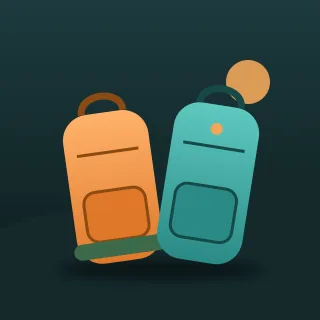
Two Backpacks North
On the road
Kai and Rosa, walking the Pacific coast on a budget
Six months, two backpacks and one very old camera. New episodes on Sundays.
Next episode premieres in
Haida Gwaii, and the ferry that nearly broke us.
Keep us walking
Tap the address to open Two Backpacks North’s page and try it.
Your newest upload goes on top by itself.
Your newest upload goes on top by itself.
Big enough to read, and copied in one tap.
A link to the real figures, for the dates you pick.
Point your page at your channel and your newest uploads come in by themselves, so the top of it is always this week’s.
Put a player on your page. It loads nothing from YouTube until someone presses play, and two or three can sit in a row you swipe.
Show the code big enough to read off a video, copied in one tap and labelled as paid unless you say it isn’t.
Show the code big enough to read off a video, copied in one tap and labelled as paid unless you say it isn’t.
Count down to it on your page, and swap in the video once it’s up.
Lay those links out as tiles under one heading, or fold them away until someone opens them.
Send them a link to your real numbers instead of a screenshot. You pick the dates, and the link stops when you say so.
Every feature here is free, on every page, and your numbers are yours to share or not.
How these work, step by step: share your numbers, know which bio sent them, show when you’re live and grids, carousels and folds.
We made all three up. Two Backpacks North are somewhere on the Pacific coast, Offcut Workshop builds furniture in a Nova Scotia barn, and Save Point Sam plays old games in Brandon.We made all three up. Start from any of them.
Two Backpacks North, an example: @twobackpacks
A travel channel counting down to the next premiere, with the route so far and every country folded under one heading.
Offcut Workshop, an example: @offcutworkshop
A woodworking channel with this week’s build on top, the cut list as a PDF and the tools he uses.
Save Point Sam, an example: @savepointsam
A gaming channel with the newest video, a sponsor code that copies in one tap and a stream night every Friday.
Put it in your bio, in every description and on your end screen.
Every feature is free. See what costs money
Already have a link page somewhere else? Bring your page over
Portage is free for everyone, and supporters keep it that way. Support Portage
Creators and streamers
Music, art and the stage
Shops, chairs and classes
Teams, servers and work
Everything on this page works on every Portage page, and all of it is free. You can read more about pricing or how the checks work.