Scorebug
Early accessLog every game you watch across 19 leagues, grade it out of 5.0 and keep the ticket stub.
Portage for everyone
You don’t have to be a streamer or run a shop to use Portage. Everyone gets the same page, and every feature on it is free.
You don’t have to be a streamer or run a shop to use Portage.
Pick a feature to see it on the page

he/himCanada
I made Scorebug, Delta-V and Portage, all out of Edmonton.
If you came here from TikTok, this is everything else I’m up to.
What I'm shipping
Scorebug
Early accessLog every game you watch across 19 leagues, grade it out of 5.0 and keep the ticket stub.

Delta-V
Early accessBuild a spaceship from about 580 parts, fly it around the planets, then try to get home.
Be there when the next one launches
I’ll email you the day something new goes live, and that’s all I’ll ever send.
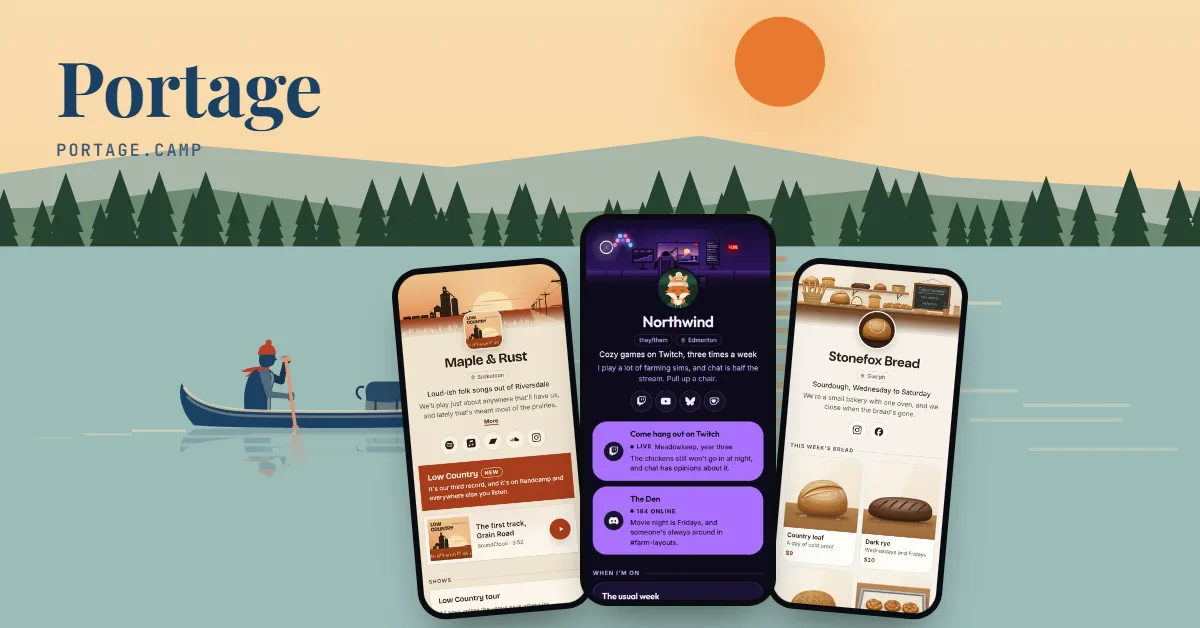 FreeMake a page like thisIt’s Portage, the link in bio I built. Yours can have the moon too, and it’s free.
 Cadenic StudiosIt’s my studio in Edmonton. We build websites, apps, online stores and Discord bots.cadenic.studio
Tap the address to open Wyatt McPherson’s page and try it.
All you need to sign up is an email address.
It’s the address you’ll put in your bio, and it’s yours to keep.
Paste them in. Each one can wear the picture its own page shares.
A drawn landscape, your own photo or a plain colour. Change it any time.
Wyatt runs the studio that makes Portage. We made up the other three to show how different a page can look, and you can start from any of them.The other three are made up. Start from any of them.
Wyatt McPherson, one of our own pages: @wyattmcph
This is Wyatt’s own page, with the two apps he makes and his newest journal posts.
Ivan Pražák, an example: @ivanprazak
A birdwatcher’s page with a few pictures and the latest entries from his notebook.
Noor & Sam, an example: @noorandsam
A wedding page with the day’s schedule and the photos behind a password.
Omar Haddad, an example: @omarhaddad
A tutor’s page with his hours at the library and a note about open evening slots.
Most people here aren’t. A tutor’s page can be his hours at the library. Tell us what yours is for and we suggest things to match.
Point your page at your blog or newsletter and your newest posts come in by themselves, so the top of it is never stale.
Put the day’s plan on a page with a countdown, and keep the photos behind a password only your guests know.
Put the day’s plan on a page with a countdown, and keep the photos behind a password only your guests know.
Four links make a good page, set up in a minute. Press Find a picture on any of them and it wears the picture that page shares.
Your stats show the clicks on each link and where people came from, counted without cookies, so there’s no consent banner.
Download your page, your email list and your stats whenever you like. You don’t have to ask us first.
If you’re not sure where to begin, pick one of the example pages above and start from it. Once it’s yours, you can change every bit of it.
How these work, step by step: stats without cookies, one link for both app stores, one Buy link for a book, built for screen readers and a menu or price list.
Pick a handle, and we’ll email you a link to sign in. Your page is ready to fill in after that.
Every feature is free. See what costs money
Already have a link page somewhere else? Bring your page over
Portage is free for everyone, and supporters keep it that way. Support Portage
Creators and streamers
Music, art and the stage
Shops, chairs and classes
Teams, servers and work
And everyone else
Everything on this page works on every Portage page, and all of it is free. You can read more about pricing or how the checks work.